Photo preparation
Family Portraits from Separate Photos: How to Prepare
Combine separate family photos into one portrait. Choose clear references, compare styles, preview the group and request changes before ordering.
In this guide
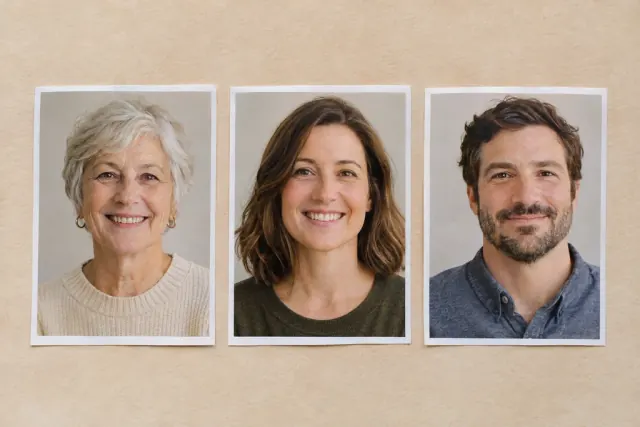
Yes, you can create a family portrait from separate photos at Amber Portraits. Upload up to 3 photo files, choose a suitable style and review the group in a free preview. Choose clear faces for your references; after the first preview, use Edit portrait if you want to change who appears or how the group is arranged.
The three-file limit counts photographs, not people. A group photograph can be one of your references. Each face still needs enough visible detail to be recognisable, especially in a larger group. Check each person and pet before choosing a version to order.
Which photos work together as references?
Choose a clear view of each face and, where possible, photos taken from similar angles and camera heights. Use additional references to show missing features rather than several near-identical pictures.
Adobe's perspective photography guide describes perspective as “the spatial relationship between subjects in the frame”. A close selfie and a distant full-length photograph present people at very different scales and angles; compare their viewpoints when choosing references for the same group.
You can still try references with different backgrounds. Focus on whether the people are visible, and expect the chosen portrait style to interpret how they fit together.
| Reference situation | How to prepare it | What to check in the preview |
|---|---|---|
| One group photo plus someone missing | Keep the clearest group image and add a clear photo of the other person. | Everyone is present, with sensible relative sizes and spacing. |
| Individual photos of each person | Prefer comparable face angles and clearly visible eyes. | Each expression and face remains familiar in the new group. |
| A family and a pet photographed separately | Include a reference showing the pet's face and markings. | The correct pet, its size beside people and its distinctive features. |
| Older and recent photos together | Decide which age or appearance you want represented; use Edit portrait after the preview if needed. | The intended appearance of each person, rather than assuming everyone has been aged to match. |
Use photos you own or have permission to use. If you are preparing a surprise gift, choose references the recipient would be comfortable seeing in the artwork.
How should you use the three photo slots?
Give each file a purpose. One may establish the main group, another a person who is missing and the third a pet or a clearer view of an important feature.
A possible reference plan is:
- A photograph of two people you want together.
- A clear photograph of a third person to include.
- A photograph of the family dog, showing its eyes and coat markings.
This is a planning example, not a documented input-and-output case. Your own preview is where you check whether the references produce the group you want. Avoid filling a slot with a low-detail duplicate when it adds no useful information.
If the same person appears in several references, use their clothing or another visible feature to explain that they should appear once. If a photo also contains someone you want left out, check the first preview and use Edit portrait to request that change. Combining references introduces artistic variation; review the faces and arrangement before ordering.
Which portrait style should you choose?
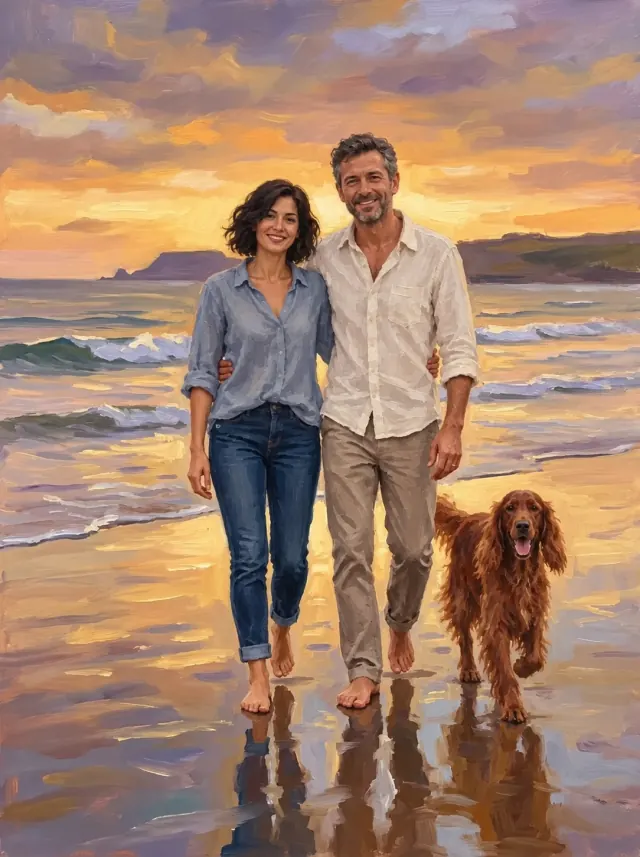
Choose a style for the scene you want, then review how it interprets your references. A relaxed portrait, formal eveningwear and a sunset beach composition have different aims.
| Style | A useful starting point for | What may change |
|---|---|---|
| Fine Art | A softly painted portrait focused on people and pets. | Clothing, poses and backgrounds may be reimagined. |
| Evening Portrait | People presented in formal eveningwear. | Everyday clothing is reinterpreted as gowns, suits or tuxedos. |
| Sunset Walk | A full-length group on a beach at sunset. | The setting, clothing and poses are reimagined; a beach photograph is not required. |
| Free Style | Starting from a favourite scene with people, pets or meaningful surroundings. | Framing, lighting and other details may be refined. |
If a wedding outfit or a particular place matters, compare that detail in the first preview and use Edit portrait to request any corrections.
How do you describe the group you want?
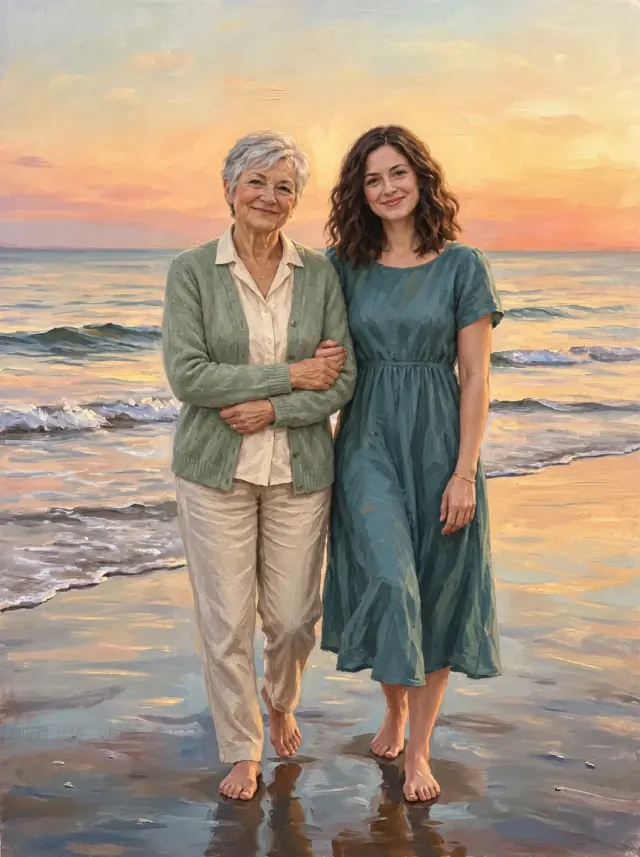
After your first preview, use Edit portrait to describe the arrangement and details you want changed. Identify people by visible clothing or other features in a specific photograph, so the request is clear without relying only on a photo number.
For example, if your references show a couple outdoors, a man wearing glasses indoors and a dog, you might request: “Include the outdoor couple, the man wearing glasses in the indoor photo and the brown-and-white dog. Place them together with the dog beside them. Keep the dog's white chest patch.” This describes a hypothetical reference set.
If you request a change, name that detail. “Bring the dog closer to the group and keep the faces as they are” gives you something specific to compare in the next version.
What should you check before ordering a combined portrait?
Check each subject separately, then the group as a whole. Attractive colour and brushwork can make it easy to overlook a missing person or an unfamiliar expression.
- Who is included: Count the people and pets you intended to show.
- Likeness: Compare eyes, smiles, hair, glasses and animal markings with the references.
- Relative size: Check how adults, children and pets fit beside one another.
- Arrangement: Look at spacing, visible hands and limbs, and whether faces overlap.
- Framing: Make sure important features fit inside the composition you want to print.
Use Edit portrait before paying if a detail needs attention. Compare versions and select your favourite at checkout. If you need help after ordering, contact us before assuming further preview edits will change the purchased artwork.
Can you use old family photos or include pets?
Yes, older photos and pet references can be part of the preparation. The useful question is whether the features you want represented are visible in the files you provide.
For an old printed photograph, use a clear, straight-on copy without glare over the face. Additional photos may clarify a feature, but hidden or heavily blurred details cannot be reliably recovered. Our guide to portraits from old family photos shows how a single photograph of a couple looks in three styles.
For animals, our pet photo guide explains how to choose references for eyes, fur and markings.
For a birthday portrait or anniversary gift, decide which people, pets and setting will feel meaningful to the recipient before choosing a material or frame.
Prepare the group, then try a free preview
Gather the references that explain your intended group and choose the scene you want. Start in Fine Art, or explore all portrait styles if you prefer a different composition.
Once the faces and arrangement feel right, use our print size guide and canvas versus fine art paper comparison to plan the finished display.