Photo preparation
How to Choose a Photo for a House Portrait
Choose a clear photo of your home, compare useful angles and learn what to check in a house portrait preview before ordering a print or digital file.
In this guide
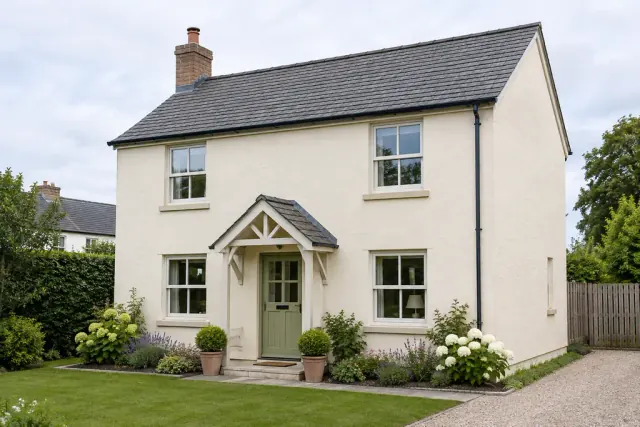
The best reference for a house portrait is a clear view of the building from the angle you want remembered, with its roofline, entrance and important windows visible. Start by deciding whether to show the home as it looks today or as you remember it. Use a second view when it reveals a feature the first photograph hides.
Amber Portraits' Home Impressions style accepts up to 3 photos of the same property. Choose landscape 4:3 or portrait 3:4 after adding your photos. Preview it for free and compare the architecture before choosing a print or digital file.
Should you use a front view or an angled photograph?
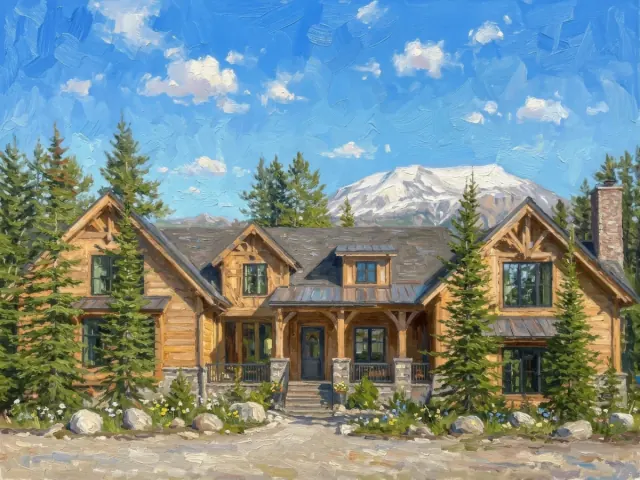
Choose the view that shows what makes the property recognisable to you. A front view can emphasise the entrance and window arrangement; an angled view can include the porch, side elevation or relationship to the garden.
| View | Useful when | What to check |
|---|---|---|
| Front view | The facade, front door and window layout carry the memory. | The roof and edges fit in the photograph. |
| Gentle three-quarter view | The porch or side of the building is important. | The angle still shows the entrance and main features clearly. |
| Wider scene | A garden, tree, driveway or setting is part of the story. | The house remains large enough in the image to inspect its details. |
| Additional close view | A feature is hard to see in the main photograph. | It belongs to the same property and clearly identifies that detail. |
Start with the clearest photograph of your preferred angle and add another only when it reveals useful details. After the first preview, describe your preferred angle and any changes in Edit portrait.
How should you take a new house reference photo?
Take a clear overall view in light that lets you distinguish the building's surfaces and details. Keep the full roofline and the parts you want painted inside the frame, then inspect the photo at a larger size.
Photographing from very close to a building and pointing steeply upward can make vertical lines appear to converge. Adobe's architecture photography guide explains how the vantage point affects this perspective. For a reference, compare available views and choose the one that best matches the shape you want represented.
You do not need a dramatic sky or a professional property photograph. A clear phone photo can be a useful starting point. If a wide-angle view stretches the edges of the building, try a less extreme view from a suitable position rather than relying on that distortion being corrected in the portrait.
Use photographs you own or have permission to use. Choose an accessible place to take them, and keep the original image file when available.
What if a tree, car or fence hides part of the house?
Add another angle of the same property if it shows the hidden feature. An edit request can describe a change, but it cannot establish the exact appearance of architecture that none of the references reveal.
For example, if a parked car covers the lower part of the entrance, another photograph showing the steps may help. If all you have is the obstructed view, inspect how that area is interpreted in the preview before ordering.
Can you use an older photograph of a family home?
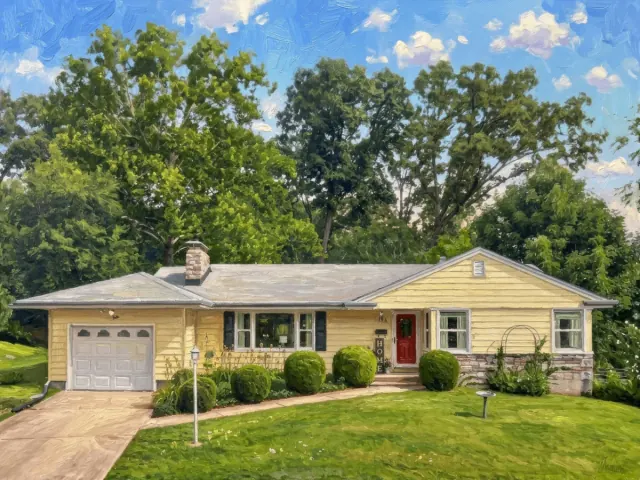
Yes, an older photograph may be a useful reference if the important details are visible. Choose the clearest copy of the version of the home you want remembered, even if the building has since changed.
If the photograph is a physical print, make a straight-on copy in even light. Avoid glare over windows or the roof. If you add a newer photograph for detail, decide which era to represent: the older windows and garden, the current exterior or specific features from each. Check how the first preview interprets those references.
For a housewarming gift, decide whether the recipient would prefer their new home or a home they have left behind. That choice is more useful to settle before you select a frame.
Review the building and request changes
Compare the building with the main reference before focusing on the painting's atmosphere. Check the roofline, entrance, windows and perspective, then inspect requested changes.
- Structure: Look at the roof, chimney, extensions and main outline.
- Openings: Compare the number and arrangement of visible doors and windows.
- Distinctive details: Check colours, porch shapes and features you asked to preserve.
- Surroundings: Review trees, paths and neighbouring buildings that matter to the scene.
- Composition: Check that the full building and meaningful features fit within the landscape artwork.
After the first preview, use Edit portrait to name the details you want changed and those you want to keep. Identify a reference by its visible contents: “Use the front-on photo with the red door for the composition. Keep the porch and window arrangement. The side photo shows the entrance steps; please remove the parked car if possible.”
This is an example request. Compare the revised preview with the references, then choose your preferred version at checkout. An oil-style portrait interprets the building artistically; focus on its familiar structure and the features that carry the memory.
Which format works for a house portrait?
The Home Impressions style offers landscape 4:3 or portrait 3:4 artwork. Choose canvas stretched over a wooden support, with an optional black, natural wood or dark wood outer frame; a fine art paper print, unframed or in a ready-to-hang wood frame; or a digital download to arrange printing yourself. Physical orders include the digital artwork.
For an indoor scene or a photograph where people are central to the memory, Free Style may be a more useful starting point. It offers landscape or portrait orientation; check the scene and important details in the preview.
Use our print size guide to measure the intended space. Our canvas versus fine art paper comparison explains the framing choices and the difference between a stretched canvas and a fine art paper print.
Start with the view you want to remember
Choose the view you want remembered and add references when they clarify that property. Create a free preview in Home Impressions, check its familiar details and select your preferred version before ordering.